
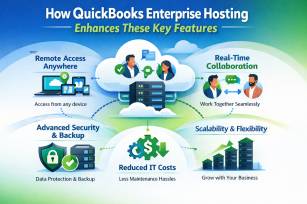
How QuickBooks Enterprise Hosting Enhances These Key Features
QuickBooks Enterprise is already known as a powerful accounting solution for growing and large businesses. It offers advanced inventory management, strong reporting tools, better user controls, and industry-specific features. However, when this software is combined with QuickBooks Enterprise Hosting, its capabilities become even more powerful, flexible, and user-friendly.
In simple words, hosting QuickBooks Enterprise on the cloud allows you to access the software over the internet instead of installing it on a single local computer or office server. This setup enhances almost every key feature of QuickBooks Enterprise, making daily accounting work faster, safer, and more convenient.
Let’s understand how QuickBooks Enterprise Hosting improves these features and why many businesses are moving away from traditional desktop setups.
What Is QuickBooks Enterprise Hosting?
QuickBooks Enterprise Hosting means running your QuickBooks Enterprise software on a cloud server managed by a hosting provider. You can access it anytime, anywhere, using a laptop, desktop, or even a tablet, as long as you have an internet connection.
Instead of worrying about system crashes, hardware failures, or office-only access, hosting gives you a virtual desktop where your software and data are always available.
1. Anywhere, Anytime Access Improves Productivity
One of the biggest advantages of QuickBooks Enterprise Hosting is remote access. Normally, QuickBooks Enterprise installed on a local system can only be used from that computer or office network.
With hosting:
- You can log in from home, office, or while traveling
- Accountants and team members can work from different locations
- Business operations don’t stop due to location issues
This feature is extremely helpful for businesses with remote teams, multiple branches, or outsourced accountants. It also improves work-life balance and ensures that important accounting tasks are never delayed.
2. Better Multi-User Collaboration
QuickBooks Enterprise is designed for multi-user access, but hosting takes this feature to the next level.
With QuickBooks Enterprise Hosting:
- Multiple users can work at the same time without performance issues
- No need for complicated local network setups
- Changes are updated in real time for all users
This means your accountant can review reports while your sales team updates invoices and your inventory manager tracks stock—all at the same time. Hosting eliminates conflicts and improves teamwork.
3. Enhanced Performance and Speed
Many users experience slow performance when running QuickBooks Enterprise on old or overloaded local systems. Hosting solves this problem by running the software on high-performance cloud servers.
Benefits include:
- Faster processing of large company files
- Smooth handling of heavy inventory and reports
- No dependency on your local computer’s speed
Even if your personal device is basic, the hosted environment ensures QuickBooks Enterprise runs efficiently. This is especially useful for businesses managing large datasets or complex accounting tasks.
4. Stronger Data Security and Protection
Security is a major concern for any business handling financial data. Hosting providers invest heavily in security technologies that are often stronger than what small or mid-sized businesses can afford on their own.
With QuickBooks Enterprise Hosting, you get:
- Advanced firewalls and encryption
- Secure data centers with 24/7 monitoring
- Regular backups to prevent data loss
In case of system failure, cyberattack, or accidental deletion, your data can be restored quickly. This level of protection ensures peace of mind and business continuity.
5. Automatic Backups and Disaster Recovery
When using QuickBooks on a local system, backups are often forgotten or done incorrectly. Hosting removes this risk completely.
Most hosting providers offer:
- Automated daily backups
- Multiple backup locations
- Quick disaster recovery options
This means your data is always safe, even during unexpected events like power failures, system crashes, or natural disasters. Your business can resume operations with minimal downtime.
6. Easy Scalability as Your Business Grows
As your business grows, your accounting needs also increase. You may need more users, storage, or better performance. With a traditional setup, upgrading can be expensive and time-consuming.
QuickBooks Enterprise Hosting allows you to:
- Add or remove users easily
- Upgrade server resources without buying new hardware
- Adjust plans based on business needs
This flexibility ensures that your accounting system grows with your business, without unnecessary investments.
7. Seamless Integration with Add-Ons and Tools
QuickBooks Enterprise supports many third-party applications such as payroll tools, inventory management systems, and CRM software. Hosting makes integration smoother and more reliable.
Hosted environments:
- Support multiple add-ons in one place
- Reduce compatibility issues
- Improve overall workflow efficiency
All your business tools work together seamlessly, saving time and reducing manual effort.
8. Simplified IT Management
Managing local servers, updates, and troubleshooting requires technical expertise. Hosting removes this burden from your shoulders.
With QuickBooks Enterprise Hosting:
- Software updates are handled by the provider
- Server maintenance is fully managed
- Technical issues are resolved quickly by experts
This allows business owners and accountants to focus on core work instead of IT problems.
9. Cost Efficiency in the Long Run
At first, hosting may seem like an additional cost, but it actually reduces many hidden expenses.
You save money on:
- Buying and maintaining physical servers
- Hiring in-house IT staff
- Downtime due to technical failures
Over time, hosting proves to be a cost-effective solution, especially for growing businesses that need reliability and flexibility.
10. Comparison with QuickBooks Premier Hosting
While QuickBooks Premier Hosting is also a popular option for small to mid-sized businesses, QuickBooks Enterprise Hosting is better suited for organizations with advanced needs.
QuickBooks Premier Hosting works well for:
- Smaller teams
- Basic inventory and reporting
- Limited user access
QuickBooks Enterprise Hosting is ideal for:
- Large teams and multiple users
- Advanced inventory and pricing features
- Industry-specific accounting needs
Both hosting options provide cloud benefits, but Enterprise hosting offers higher scalability, stronger controls, and better performance for complex operations.
Why Businesses Prefer QuickBooks Enterprise Hosting Today
Modern businesses need flexibility, security, and speed. Hosting QuickBooks Enterprise transforms it from a traditional desktop application into a modern cloud-based accounting solution.
Key reasons businesses choose hosting:
- Remote work support
- Improved collaboration
- Strong data security
- Lower IT stress
- Business continuity
These benefits make QuickBooks Enterprise Hosting a smart choice for companies looking to streamline accounting operations and prepare for future growth.
Final Thoughts
QuickBooks Enterprise already offers powerful features, but when combined with QuickBooks Enterprise Hosting, its true potential is unlocked. Hosting enhances performance, security, accessibility, and collaboration, making accounting simpler and more efficient for businesses of all sizes.
Whether you are upgrading from a local setup or moving from QuickBooks Premier Hosting to a more advanced solution, hosting QuickBooks Enterprise is a practical and future-ready decision.
By choosing the right hosting environment, businesses can focus less on technical challenges and more on growth, accuracy, and success.





0 Comments