
A Complete Guide to Desk Mats: Types, Materials & Uses
Desk mats have become one of the most essential accessories for modern workspaces. Whether you are setting up a home office, upgrading your gaming station, or simply looking for a cleaner and more organized desk area, a desk mat can make a noticeable difference. It enhances comfort, protects your desk surface, and improves the overall aesthetics of your setup. This guide covers everything you need to know about desk mats, including their types, materials, uses, and why they have become so popular.
Understanding Desk Mats
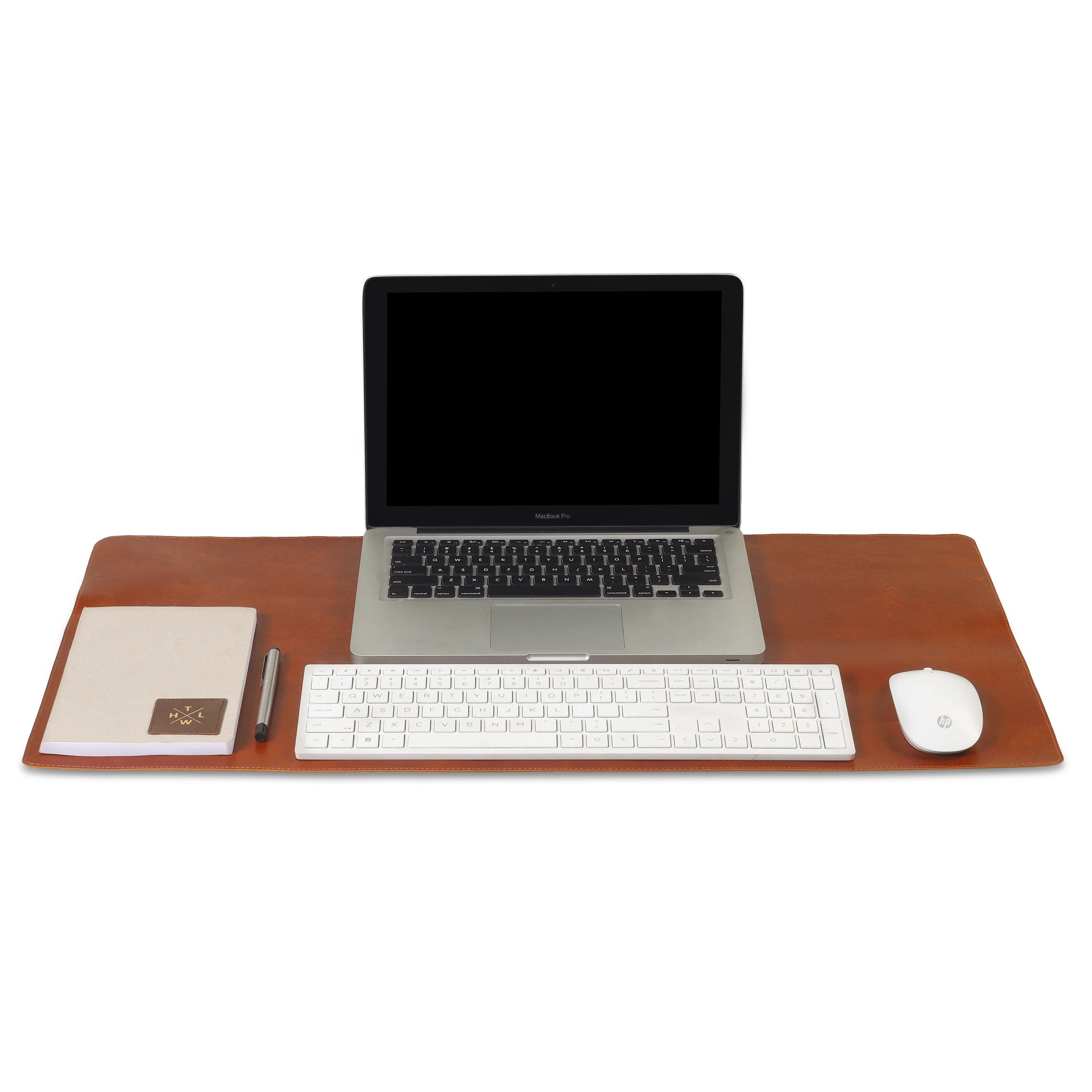
Desk mats are large, flat surfaces placed on top of a desk to create a smooth, comfortable, and protective layer. They come in various textures, designs, and sizes. A desk mat is more than just a decorative item. It plays a functional role in daily tasks like writing, typing, using a mouse, and organizing workspace tools. Because of these benefits, desk mats are now widely used in offices, gaming rooms, study spaces, and creative workstations.
Types of Desk Mats
1. Traditional Desk Mats
Traditional desk mats are simple, rectangular mats used mainly for writing and typing. They offer a smooth, even surface and protect the desk from scratches, ink marks, and everyday wear and tear. These mats fit easily into professional office environments due to their clean, minimalist look.
2. Extended Desk Mats
Extended desk mats are longer and wider, often covering the entire desk width. They accommodate both a keyboard and mouse while providing extra space for accessories. Gamers and remote workers prefer extended mats because they help maintain a consistent, comfortable surface during long working hours.
3. Gaming Desk Mats
Gaming desk mats are designed specifically for gamers who require precise mouse movement and stability. These mats often come with anti-slip bases and smooth surfaces optimized for speed or control. Many gaming mats also feature themed designs, RGB lighting, and premium stitching.
4. Custom and Artistic Desk Mats
Custom desk mat allow personalization with artwork, branding, or patterns. Artistic desk mats add a visual appeal to the workspace while still offering all the functional benefits. Designers, content creators, and individuals who enjoy visually aesthetic setups often choose these mats.
5. Multi-Functional Desk Mats
These mats combine additional features like wireless charging, storage pockets, or built-in rulers. Multi-functional desk mats are ideal for professional offices where versatility and organization are important.
Common Materials Used in Desk Mats
1. Leather
Leather desk mat give a premium, sophisticated look to any workspace. They are durable, smooth, and comfortable for writing. Real leather is long-lasting but more expensive, while PU leather offers the same appearance at a more affordable price. Leather mats are preferred in executive offices and minimalist setups.
2. Fabric
Fabric desk mats are soft and flexible, making them comfortable for daily use. They offer better grip for mouse movement and are commonly used in gaming and computer setups. Fabric mats come in various designs and colors, making them a versatile choice for personalization.
3. Rubber
Rubber is often used as the base material because of its excellent non-slip properties. Rubber-backed mats stay firmly in place and provide stability for keyboards and mice. These mats also resist spills and moisture, making them highly durable.
4. Felt
Felt desk mats provide a warm, cozy, and elegant appearance. They are perfect for Scandinavian or minimalist setups. Felt mats cushion your wrists and reduce noise from typing or placing items on the desk. However, they may require occasional cleaning due to dust and lint accumulation.
5. Plastic or PVC
Plastic and PVC desk mats are transparent or semi-transparent and often used to protect the desk surface. They are waterproof, easy to clean, and budget-friendly. Although they may not offer the softness of fabric or leather, they work well for heavy-duty office use.
How Desk Mats Improve Your Workspace
1. Protects Your Desk
One of the main uses of desk mats is to shield your desk surface from scratches, stains, and heat damage. Whether your desk is made of wood, glass, or metal, a mat helps extend its life by minimizing wear and tear.
2. Enhances Comfort
Desk mats offer a comfortable surface for your hands, wrists, keyboard, and mouse. They reduce friction and support smooth movements, making long working or gaming sessions more pleasant.
3. Improves Organization
Some desk mats act as a workspace boundary, giving you a clear area for your laptop, stationery, and accessories. This creates a cleaner and more organized environment, which helps improve productivity.
4. Provides Better Mouse Performance
For those who use a mouse frequently, a desk mat offers a consistent surface that enhances accuracy and control. Gamers and designers especially benefit from the precision a desk mat provides.
5. Adds Style and Personality
Desk mats come in countless designs, from minimalist black leather to vibrant graphic prints. They can transform the look of your workspace instantly, matching your preferred aesthetic or adding a splash of color.
Choosing the Right Desk Mat
When selecting a desk mat, consider the size of your desk, the type of work you do, and your personal style. Gamers may prefer extended or gaming-specific mats, while office professionals may choose leather or felt mats for a premium feel. Also think about durability, ease of cleaning, and whether you want additional features like charging ports or stitched edges.
Conclusion
A desk mat is a small investment that brings significant benefits to your workspace. It protects your desk, improves comfort, enhances organization, and elevates your setup’s overall appearance. With a variety of types, materials, and styles available, choosing the right desk mat depends on your personal needs and preferences. Whether you want a professional look, a creative aesthetic, or a functional accessory for daily tasks, a desk mat can transform your workspace into a more efficient and visually appealing environment.





0 Comments